


When creating Design Systems, it’s easy to become focused on the components — buttons, cards, inputs, and typography. But the internet is fundamentally about information. Users visit to consume content and complete tasks, not just to admire the UI (well, most of the time). This restructured approach helps to design systems that put data at the centre.
We could attempt to build rigid components for every scenario, but the reality is that subtle context changes can often mean we need to tweak the UI. This can lead to overly complicated components, especially when dealing with multiple brands and apps consuming the same data structures. The system should provide guidance and best practices, but allow product teams the flexibility to create what they need for the context.
Identify the constants
Permalink to "Identify the constants" headingEvery product ecosystem has elements that must exist regardless of the interface:
- Core entities: What are the fundamental data objects in the system?
- Users: Who interacts with the system?
- Business context: What organisational structures frame these interactions?
We’re currently working with some clients in the insurance industry, so let’s identify the constants for that ecosystem:
- Users must exist
- The company must exist
- Policies must exist
- Claims must exist
These constants form the foundation of our design system. Websites don’t have to exist — they’re just interfaces to these constants. We could delete the website and still have a business that operates on paper or over the phone or in person, but we can’t get rid of users, policies or claims.
Map the context to where the data exists
Permalink to "Map the context to where the data exists" headingEach constant exists in multiple contexts:
- Who is observing it? (user type)
- What task are they trying to complete?
- Is it being created, edited or viewed?
- Where does it sit in the page hierarchy? Is it the primary or secondary content?
- Is it in a list/grid, or is it a single item?
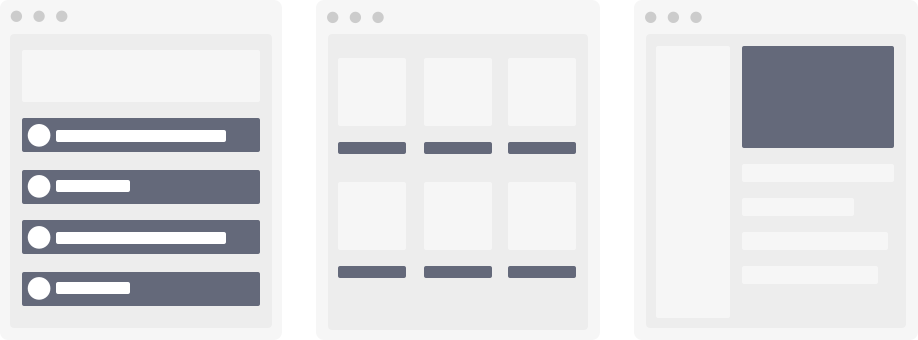
If we apply that to our insurance example, some common examples might be:
- A new claim is created by a user.
- A list of existing claims are viewed by a user.
- A claim is viewed by an admin to assess whether to pay it.
- A claim is viewed by a user to check the claim status.
The same claim exists in all these scenarios, but the UI should adapt appropriately while maintaining the visual language that signals “this is a claim” to users.
Categorise the metadata
Permalink to "Categorise the metadata" headingEvery constant has properties that describe it:
- Primary metadata: Essential identifying information that should appear every time the constant is seen
- User: name, email address, date of birth
- Company: company name, logo
- Policy: policy number, effective date, policy type
- Claim: claim number, date of loss, claimant name
- Secondary metadata: Supporting information that changes based on context
- Claim being created: incident description, loss category, initial damage estimate
- Claim being edited: supporting documentation references, current claim value, updated damage assessment
- Claim being edited by an admin: claims adjuster notes, subrogation potential, special handling codes
- Claim being viewed by a user: current claim status, payment history, settlement offer details
- Claim being viewed by an admin: fraud investigation status, reserve adequacy assessment, recovery amounts
By distinguishing between primary and secondary metadata, we create consistent hierarchies across contexts. Knowing what these are for each constant in the ecosystem helps us to make decisions when designing the UI that represents them in new contexts.
Identify shared data structures
Permalink to "Identify shared data structures" headingMany applications need to store the same types of information for different entities. For example, both users and companies need addresses, email addresses, and phone numbers.
These common pieces of information are “shared data structures” — reusable components that appear across your system. By treating these as standardised building blocks, you can:
- Create consistent user experiences
- Reduce development time
- Simplify maintenance
- Make your system more intuitive for users
Create data-focused recipes
Permalink to "Create data-focused recipes" headingDesign system recipes are a great way to provide guidance and examples of data in context, without having to railroad people into specific UI choices.
*As the name suggests, recipes combine ingredients to create UI experiences that are complex, delicious, nutritious. The design system’s core components are the ingredients stocked in the pantry. Other product designers then take those ingredients to create product-specific compositions that meet their product needs.*
— The art of design system recipes by Brad Frost
Rather than building rigid components for every scenario, we should develop flexible recipes that show how to:
- Display the core entities in different contexts
- Support different user types and tasks
- Combine basic UI components appropriately
The organisational structure can be flexible, but we’d recommend thinking about the:
- constant - “How do I display this thing?”
- Task - “What is the user trying to do?”
- User type - “Who needs this information?”
- This last step is optional, as some tasks can only be completed by specific users
For example:
- Claim → Create → User
- Claim → Process → Claim handler
- Claim → View → User
Systems, not just components
Permalink to "Systems, not just components" headingBy focusing on the data first, we can create design systems that:
- Reflect the true structure of the ecosystem
- Provide consistent experiences across contexts
- Make it easier for designers and developers to make good UI decisions
- Create coherence across apps, brands, and interfaces
This approach moves beyond designing collections of components to creating real systems for content and data.